
If a program has been made available for sharing in your organization by another curator, you will need to share it with your users on Gnowbe Dashboard.
- Log into Gnowbe Dashboard (dashboard.gnowbe.com) or click Dashboard on your Gnowbe Web homepage.
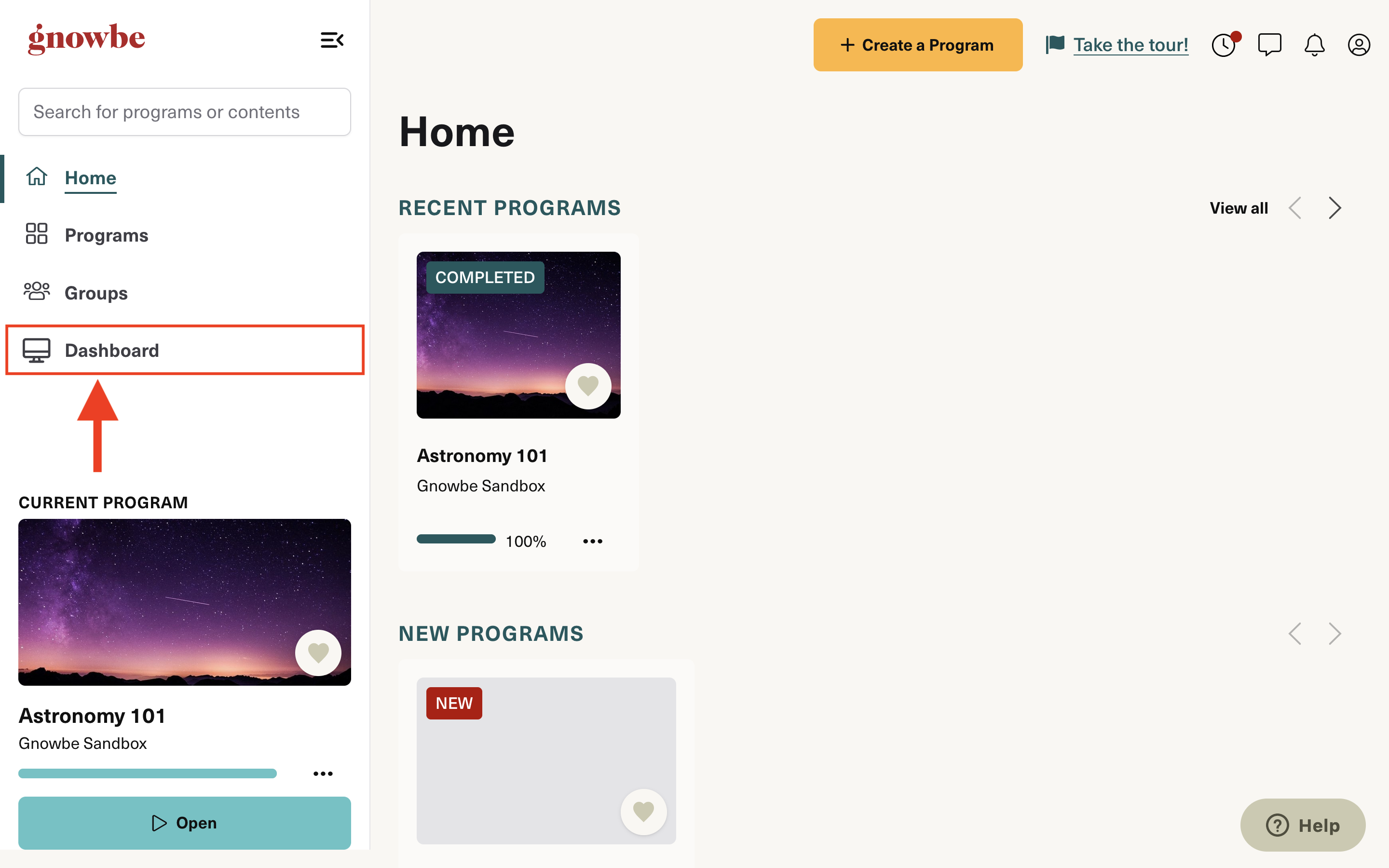
- Click Groups.

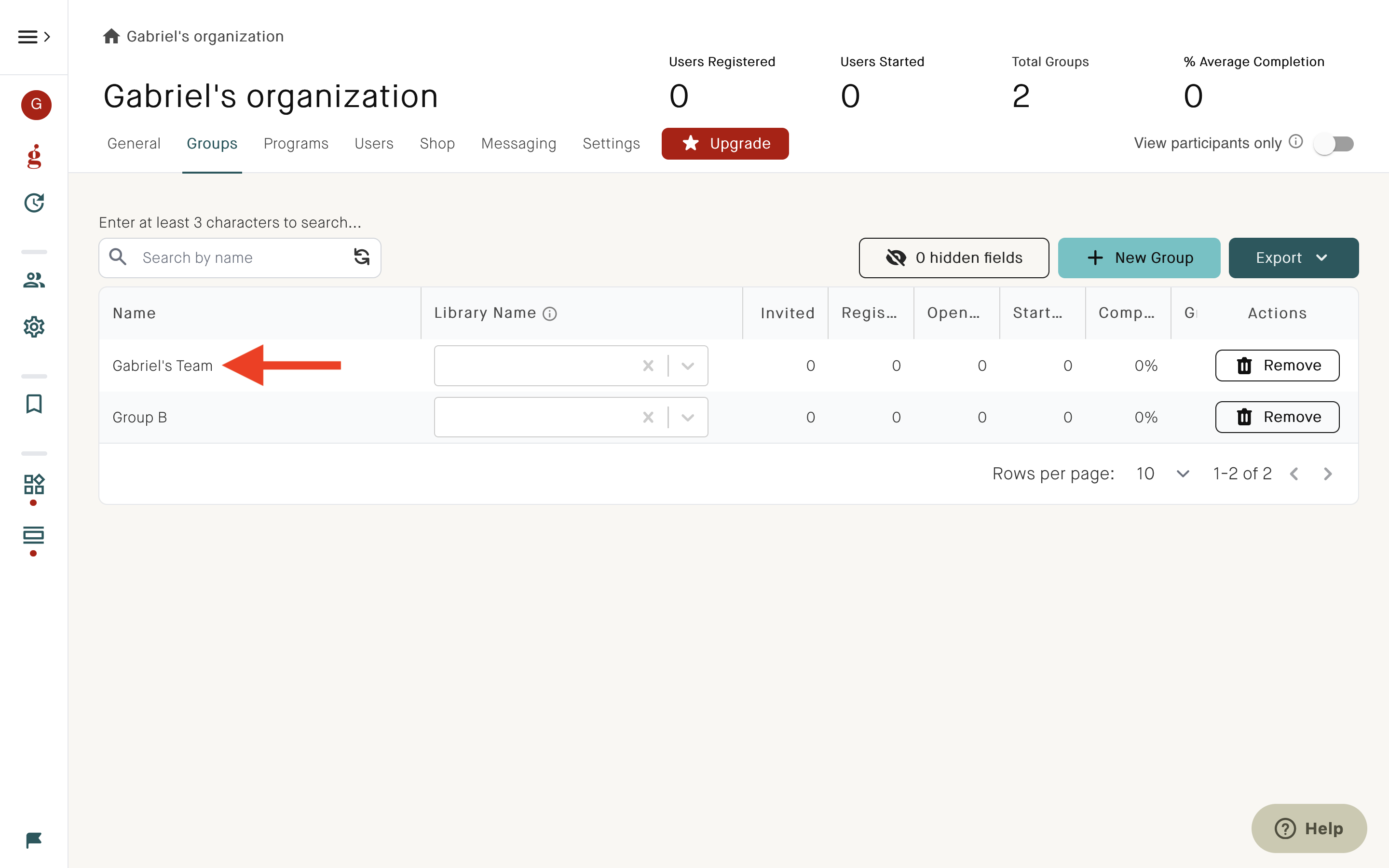
- Select the user group you wish to share your program with. If it hasn't been created yet, create a group - learn how here.
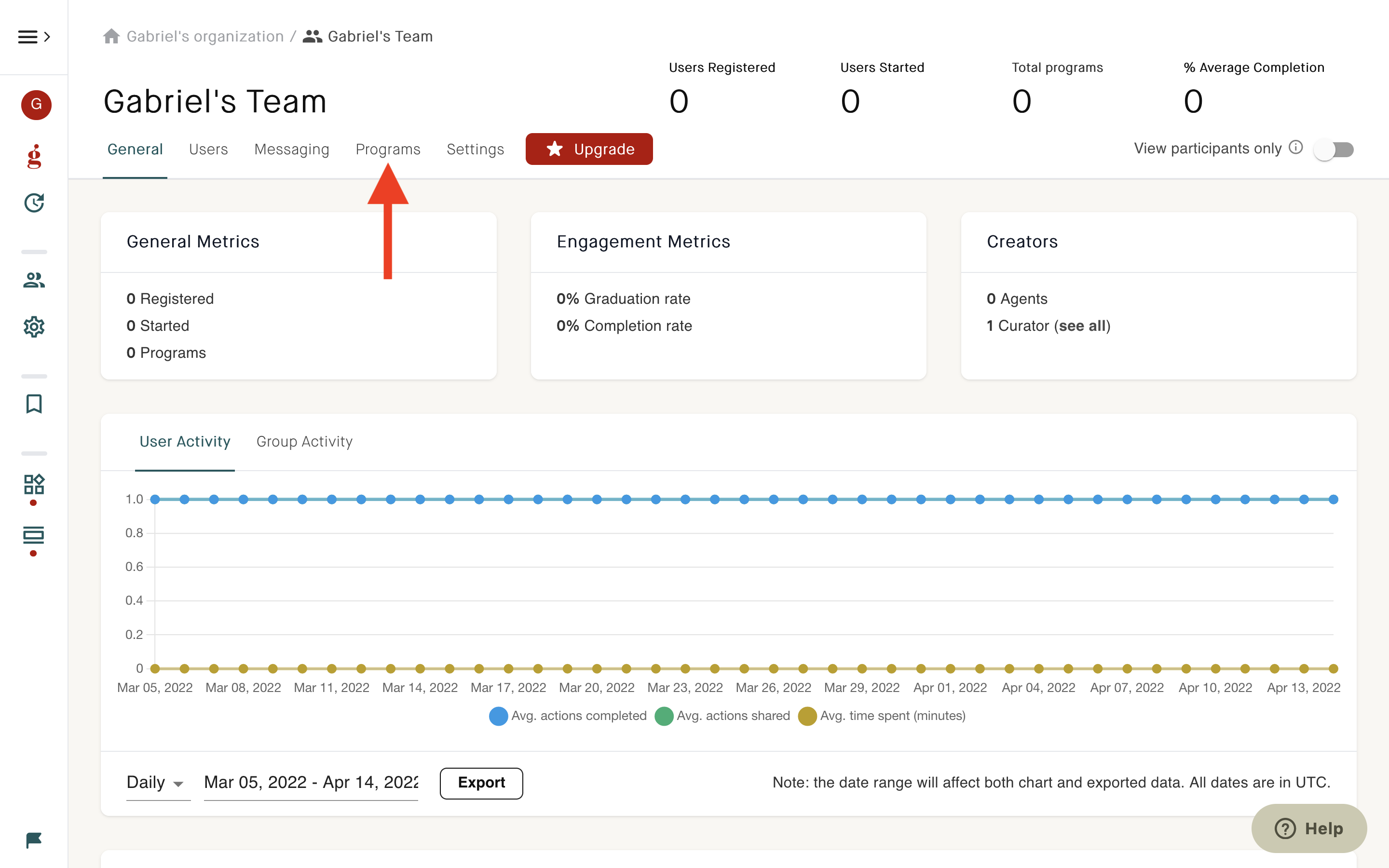
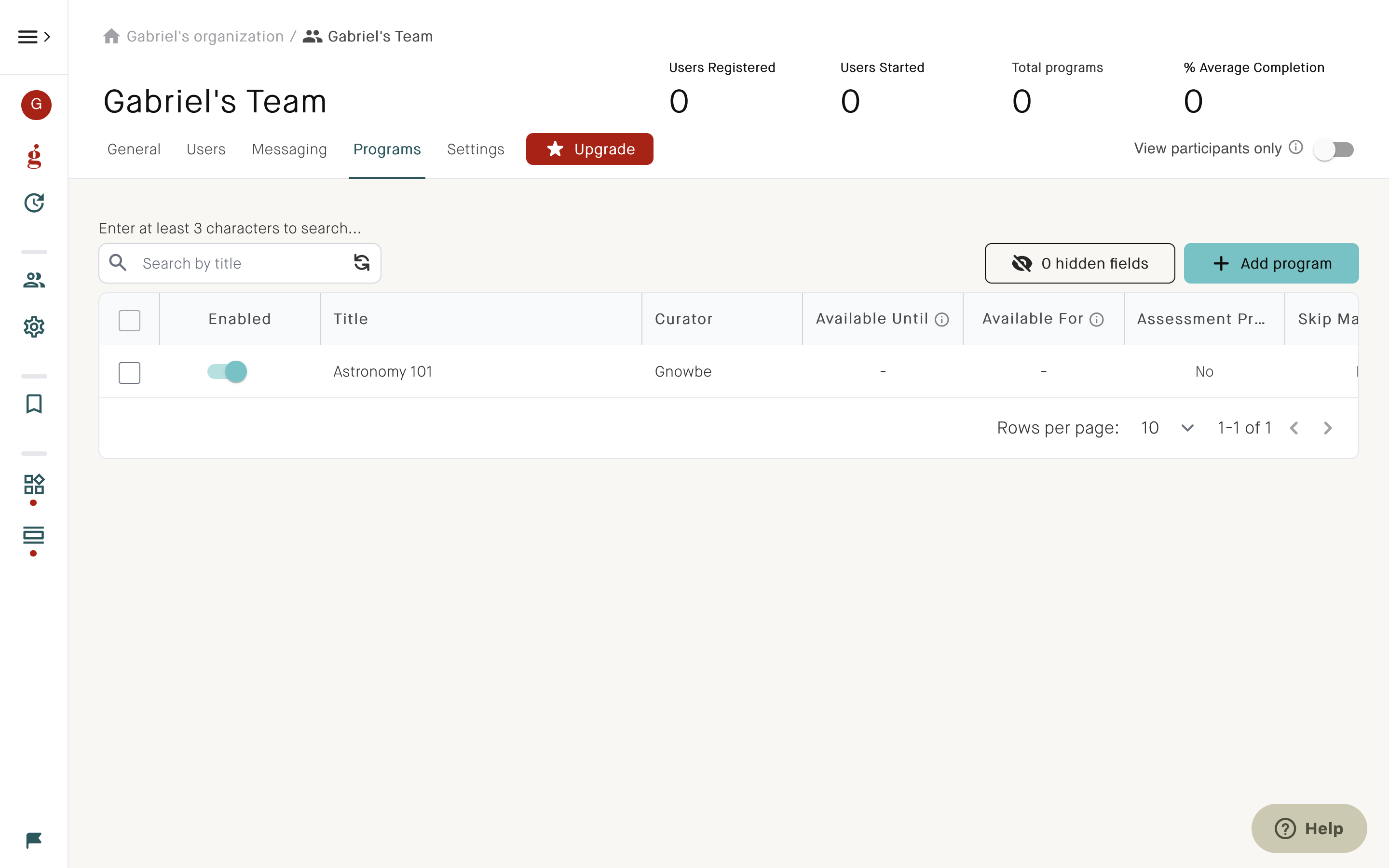
- Click Programs.
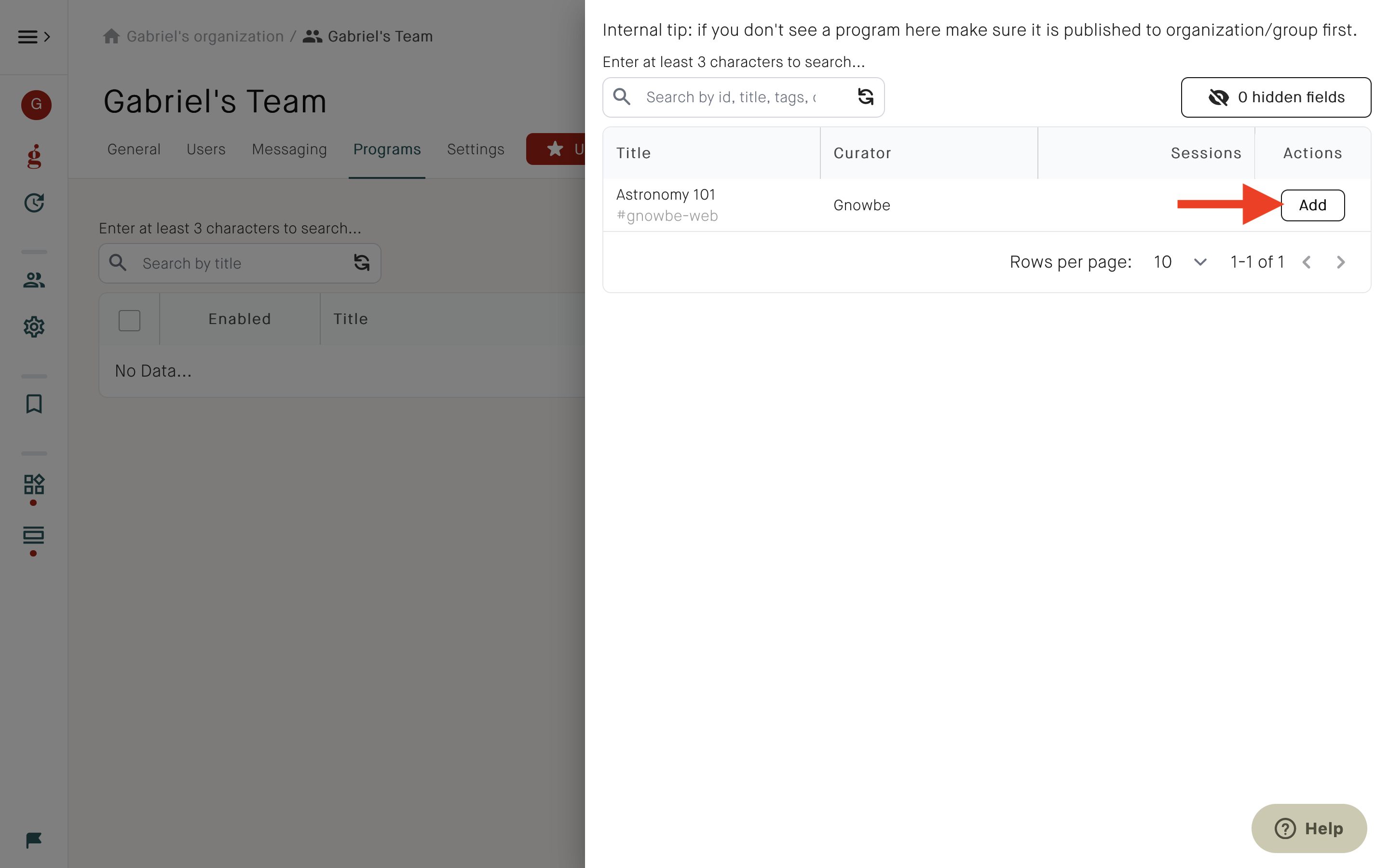
- Click +Add program.

- Click Add.
- The program will be shared with your group.
See also
How can I share a Gnowbe program with users?
How can I share a Gnowbe program with multiple groups at one go?
How to invite users to a group?
--------------------
You’ve found the dad jokes section*
We all know about Murphy’s Law - Anything that can go wrong will go wrong.
But have you heard of Cole’s Law? It’s thinly sliced cabbage.
*This is irrelevant to the guide; we just want to entertain you for a bit while you’re here! 🤣